Early contributions to Outfitโ€™s design system

Year

2020

Role

Junior Product Designer

Type

Design Ops

Company

TLDR;

Core challenge

Outkit, Outfit's design system, was built almost entirely from Chakra UI primitives. Everyday UI situations like long labels, complex drawers, toggle choices and in-page navigation had no shared answer, so the same problem was often solved differently across the product.

Solution

As a junior designer, I added four reusable pieces to Outkit: automatic truncation with tooltip, Drawer templates in Figma, a toggle button group, and an on-page tabular navigation pattern. Each one turned a repeated, one-off decision into something the whole team could reuse.

Impact

A more complete system

Filled gaps between Outkit's primitives and the patterns teams actually needed, so more of the product could be built from the system instead of one-off solutions.

Consistent by default

Truncated labels got a tooltip automatically, taking a small but repeated decision off every screen with long text.

Shared patterns, not reinvention

Drawer templates and on-page tabular navigation gave the team one agreed way to build panels and switch between related views.

As a junior designer
I was tasked with updating Outkit

A collection of hands-on contributions from my time as a junior designer, alongside what Iโ€™d approach differently today. Four small additions that became part of the system others built on, with some background on my role at Outfit and how I contributed to its evolving design system.
Truncated Tooltip

This is a super long label spanning three lines

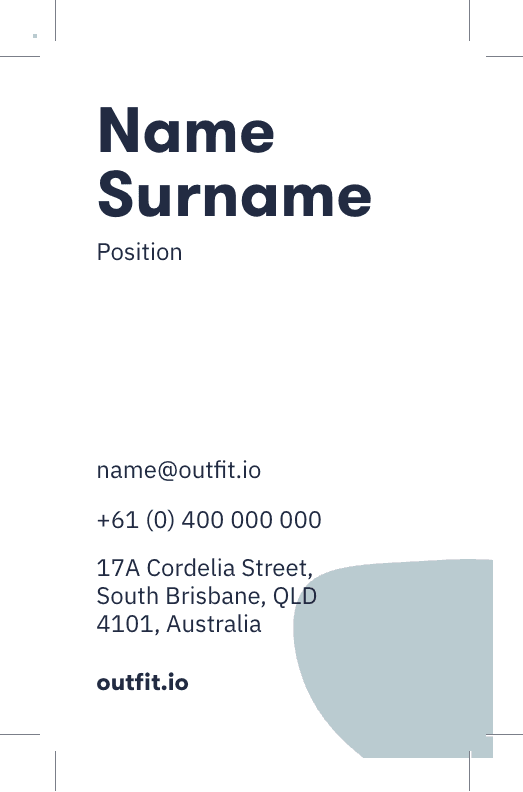
Drawer Templates
(AU) Business Card Print

JL

James Lee

Team Name

23 Jun 2020, at 4:30 pm

TD

AL

EC

WW

Changes

Activity

Toggle Button

1

2

3

4

5

6

7

8

9

10

11

12

13

14

15

16

17

18

19

20

21

22

23

24

25

26

27

28

29

30

31

On page navigation

Four small additions, each one a piece of the system other people built on.

Auto truncated text

A pattern that automatically applies a tooltip whenever a label is truncated, so the full text is always one hover away.

Long labels are common in a data-heavy product like Outfit, and until this pattern existed, truncation was handled case by case, sometimes with a tooltip, sometimes without.

Making it automatic meant designers and engineers no longer had to remember to add it: any label that overflows gets the tooltip for free, so the behaviour stayed consistent without anyone having to think about it on every screen.

Drawer templates in Figma

Created the Figma templates for Drawers, giving the team a consistent starting point for panel-based UI.

Drawers were being built from scratch each time they were needed, with small differences in spacing, header treatment and close behaviour creeping in between them.

The templates gave the team a single, reusable starting point in Figma, so a new drawer looked and behaved like every other one without extra design decisions along the way.

ButtonToggleGroup

Designed to coded a toggle button component I built and named ButtonToggleGroup, not realising the more established name would have been ToggleButton.

As a junior designer, I hadnโ€™t yet come across the more common naming convention for this pattern, so I named it from first principles based on what it did rather than what the wider industry called it.

The component itself worked, but the name made it harder for other people to recognise and find. Itโ€™s a small thing, but naming is part of a systemโ€™s usability too, not just its components.

On-page tabular navigation

Established the pattern for on-page tabular navigation, used across the product for switching between related views.

Before this pattern existed, switching between related views on the same page didnโ€™t have a consistent treatment, so each area of the product solved it slightly differently.

Defining it once gave the pattern a clear, repeatable structure that other parts of the product could adopt directly, rather than everyone reinventing their own tab-style navigation.

Auto truncated text

A pattern that automatically applies a tooltip whenever a label is truncated, so the full text is always one hover away.

Long labels are common in a data-heavy product like Outfit, and until this pattern existed, truncation was handled case by case, sometimes with a tooltip, sometimes without.

Making it automatic meant designers and engineers no longer had to remember to add it: any label that overflows gets the tooltip for free, so the behaviour stayed consistent without anyone having to think about it on every screen.

Drawer templates in Figma

Created the Figma templates for Drawers, giving the team a consistent starting point for panel-based UI.

Drawers were being built from scratch each time they were needed, with small differences in spacing, header treatment and close behaviour creeping in between them.

The templates gave the team a single, reusable starting point in Figma, so a new drawer looked and behaved like every other one without extra design decisions along the way.

ButtonToggleGroup

Designed to coded a toggle button component I built and named ButtonToggleGroup, not realising the more established name would have been ToggleButton.

As a junior designer, I hadnโ€™t yet come across the more common naming convention for this pattern, so I named it from first principles based on what it did rather than what the wider industry called it.

The component itself worked, but the name made it harder for other people to recognise and find. Itโ€™s a small thing, but naming is part of a systemโ€™s usability too, not just its components.

On-page tabular navigation

Established the pattern for on-page tabular navigation, used across the product for switching between related views.

Before this pattern existed, switching between related views on the same page didnโ€™t have a consistent treatment, so each area of the product solved it slightly differently.

Defining it once gave the pattern a clear, repeatable structure that other parts of the product could adopt directly, rather than everyone reinventing their own tab-style navigation.

Letโ€™s talk. From early concepts to final launch, I design and build everything to feel calm, refined, and timeless.


Not into calls? Feel free to email me.

Copy component

Copied

stevenohanlonrose@gmail.com

Oh-Rose

ยฉ 2026 Steven O'Hanlon-Rose

Letโ€™s talk. From early concepts to final launch, I design and build everything to feel calm, refined, and timeless.


Not into calls? Feel free to email me.

Copy component

Copied

stevenohanlonrose@gmail.com

Oh-Rose

ยฉ 2026 Steven O'Hanlon-Rose

Letโ€™s talk. From early concepts to final launch, I design and build everything to feel calm, refined, and timeless.


Not into calls? Feel free to email me.

Copy component

Copied

stevenohanlonrose@gmail.com

Oh-Rose

ยฉ 2026 Steven O'Hanlon-Rose